Most people can tell when a website or app feels confusing, even if they cannot explain why. That feeling is usually a UI/UX problem, not a content problem or a branding problem. Businesses that treat design as decoration rather than a core part of the product tend to find out the hard way, through support tickets, drop-off, or a developer rebuilding a screen that never should have shipped.
This guide explains what UI/UX design actually covers, what a UI/UX design company does at each stage of a project, what affects cost, and what to check before hiring one.
Quick Answers
What is the difference between UI and UX design?
UI (user interface) design is how a product looks: layout, color, typography, and buttons. UX (user experience) design is how a product works: the flow, logic, and ease of completing a task. Most design teams handle both together, since a good interface only works if the experience behind it makes sense.
Do I need UI/UX design if I already have a developer?
Yes. Developers build to a specification; they generally do not run user research or make deliberate decisions about visual hierarchy and flow. Skipping design usually means a working product that is harder to use than it needs to be.
How long does a UI/UX design project take?
It depends on scope. A small app or website design is generally quicker than a large product with many user flows and multiple rounds of testing and revision.
How much does UI/UX design cost?
Cost depends on the number of screens, the complexity of the user flows, and how much research and testing is included. A reliable vendor scopes this after understanding requirements rather than quoting a flat number upfront.
What Is UI/UX Design?
UI/UX design is the discipline of designing how a digital product looks and how it works for the people using it.
UI (user interface) design covers the visual layer: layout, color, typography, spacing, icons, and the specific screens a user sees. UX (user experience) design covers the underlying structure: how information is organized, how a user moves from one step to the next, and whether the product actually helps them complete what they came to do. A screen can look polished and still have poor UX if the flow behind it is confusing, and a product can have a logical flow and still feel unpolished without good UI. Most design work delivers both together, since they depend on each other.
What a UI/UX Design Company Actually Does
- User research. Understanding who will use the product, what problem it solves for them, and where they are likely to get stuck.
- Information architecture and user flows. Mapping how a user moves through the product before any screen is designed.
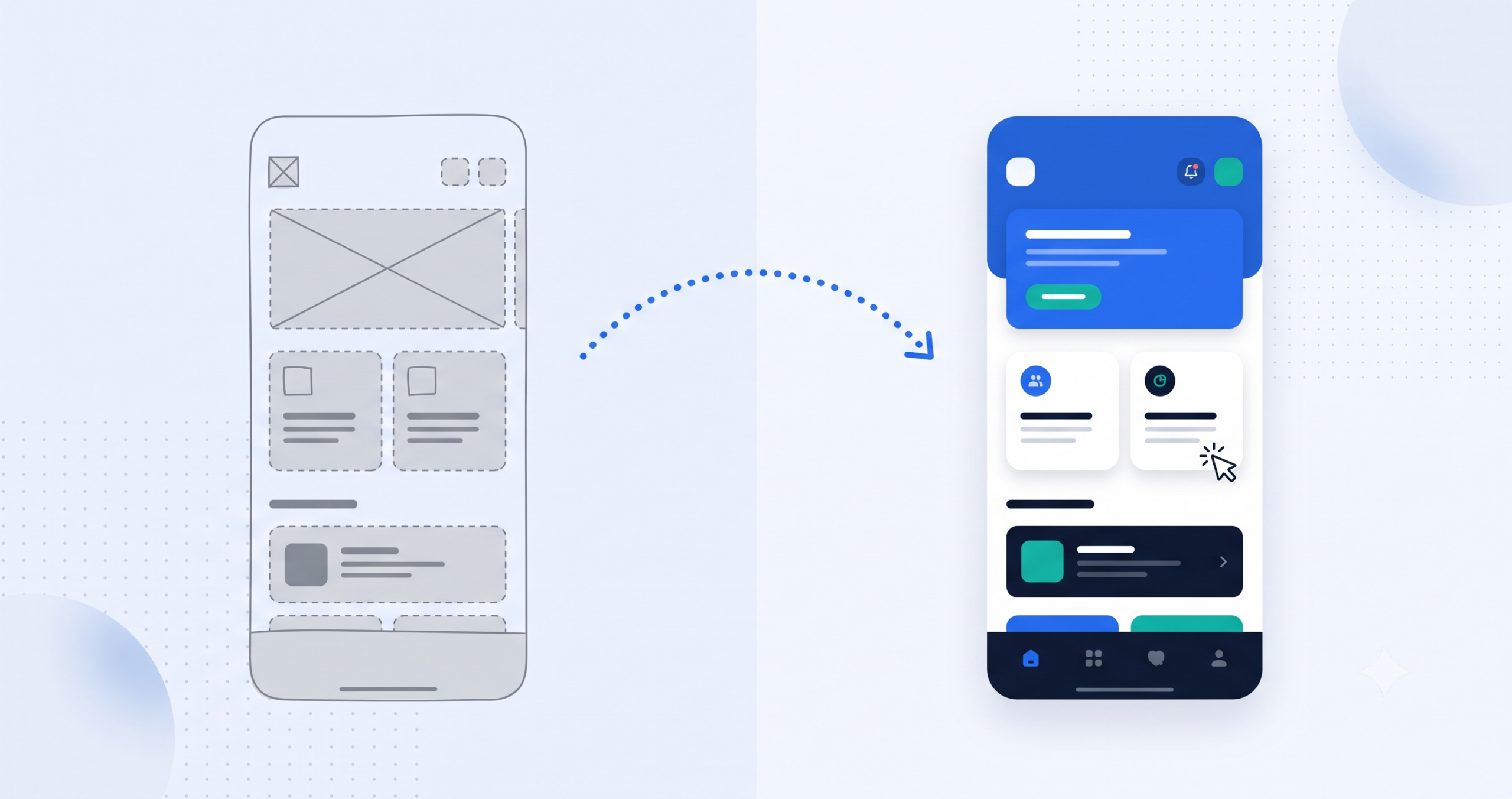
- Wireframing. Building low-fidelity layouts that focus on structure and flow rather than visual polish.
- Visual (UI) design. Turning wireframes into high-fidelity screens with the brand’s colors, typography, and visual style applied.
- Prototyping. Building a clickable prototype so stakeholders and, ideally, real users can test the flow before development starts.
- Handoff to development. Delivering organized design files and specifications so the website or software development team can build the product accurately.
Why UI/UX Design Matters for Business Outcomes
- Fewer costly changes later. Usability issues caught in wireframes are far cheaper to fix than issues caught after development.
- Better conversion and engagement. Clear flows reduce the points where users get confused and leave.
- Stronger trust and credibility. Consistent, professional design signals that a business is reliable, especially for first-time visitors.
- Wider reach through accessibility. Considering accessibility from the start, in line with the Web Content Accessibility Guidelines (WCAG), means more people can actually use the product.
- Better retention. Products that are easy to use get reopened; products that are confusing get abandoned.
Organizations such as the Nielsen Norman Group, a long-established UX research firm, have published decades of usability research showing that consistent, tested design patterns reduce user error and improve task completion, findings that hold across most types of digital products.
Strong UI/UX Design vs Weak or Skipped UI/UX Design
| Factor | Strong UI/UX Design | Weak or Skipped UI/UX Design |
|---|---|---|
| User flow | Tested and refined before development | Assumed, based on guesses |
| Consistency | Unified design system across screens | Inconsistent buttons, spacing, and colors |
| Accessibility | Considered from the start | Often overlooked entirely |
| Development cost | Fewer costly changes after launch | Frequent rework as issues surface late |
| Usability | Higher task completion, less friction | Higher drop-off, more support requests |
What Affects the Cost of UI/UX Design
- Number of screens or pages that need to be designed
- Complexity of user flows, since a multi-step checkout takes more work than a simple contact form
- Amount of user research and testing included in the scope
- Whether a full design system is being built, versus designing individual screens
- Number of revision rounds included
- Platform count, since designing for web and mobile together costs more than a single platform
How to Choose a UI/UX Design Company in Chennai
- A portfolio relevant to your product type, not just visually appealing but similar in complexity to what you need
- A process that includes research and testing, not only visual polish
- Direct collaboration with the designers doing the work, rather than communicating through account managers
- Design files delivered in an editable, standard format (such as Figma) so the business retains full access
- Experience handing designs off cleanly to developers, so nothing gets lost or reinterpreted during the build
Cospixare Technologies, a Chennai-based UI/UX design company, builds every project in Figma and hands designs off directly to its own website development and custom software development teams, so nothing gets lost in translation between design and build. The same design practices shape the team’s own product, LinkBasket, a shared grocery and budgeting app.
Common Mistakes Businesses Make with UI/UX Design
- Designing based on internal assumptions instead of actual user research
- Treating UI/UX as a final polish step after the product is already built
- Skipping usability testing before development begins
- Ignoring accessibility until users or regulators raise it
- Letting the design system drift as new screens get added without consistency checks
Final Thoughts: Design That Earns Its Place in the Product
UI/UX design is not a finishing touch, it is the layer that determines whether a well-built product is actually usable. Research, flow, and visual design working together tend to produce fewer support issues, less development rework, and a product people are willing to come back to.
Have questions about your specific project? See Cospixare’s FAQ and knowledge base, or speak with Cospixare Technologies to scope your design requirements. You can also explore the full range of Cospixare services.
Frequently Asked Questions
What’s the difference between a UI/UX designer and a graphic designer?
A graphic designer typically focuses on static visual assets like logos, banners, and marketing materials. A UI/UX designer focuses on how a digital product functions and flows for a user, including research, wireframes, and interactive prototypes, alongside the visual design.
Can UI/UX design be added to an existing website or app, or does it require a rebuild?
It depends on the scope of the problem. Some issues can be fixed with targeted redesigns of specific screens or flows, while deeper structural issues may need a broader redesign. A good design partner will assess this before recommending a full rebuild.
What tools do UI/UX design companies typically use?
Figma is currently the most common tool for wireframing, visual design, and prototyping, since it supports real-time collaboration and is widely compatible with development handoff workflows.
Does every project need user research?
Most projects benefit from at least lightweight research, even a handful of user interviews or a review of support tickets and analytics. The depth of research usually scales with how much is riding on the design decisions.
How is UI/UX design different from branding or logo design?
Branding defines a business’s visual identity, such as its logo, colors, and tone. UI/UX design applies that identity to a functioning product and focuses on how someone actually uses it, which involves flow, structure, and usability rather than identity alone.
What do I receive at the end of a UI/UX design project?
Typically a set of design files (such as an editable Figma project), a clickable prototype, and often a basic design system covering colors, typography, and reusable components, though exact deliverables should be confirmed with the vendor before the project starts.
Related Cospixare Services
- UI/UX Design
- Website Development
- Custom Software Development
- LinkBasket (Cospixare Product)
- All Cospixare Services
- FAQ and Knowledge Base
- Contact / Get a Project Estimate
Further Reading