Anyone researching how to build a mobile app runs into “Flutter” fairly quickly, usually next to terms like “cross-platform,” “native,” and “React Native,” without much explanation of what any of it actually means or why it matters for the decision at hand.
This guide explains what Flutter is, how it works at a basic level, how it compares to other approaches, and when it is (and is not) a good fit.
Quick Answers
What is Flutter?
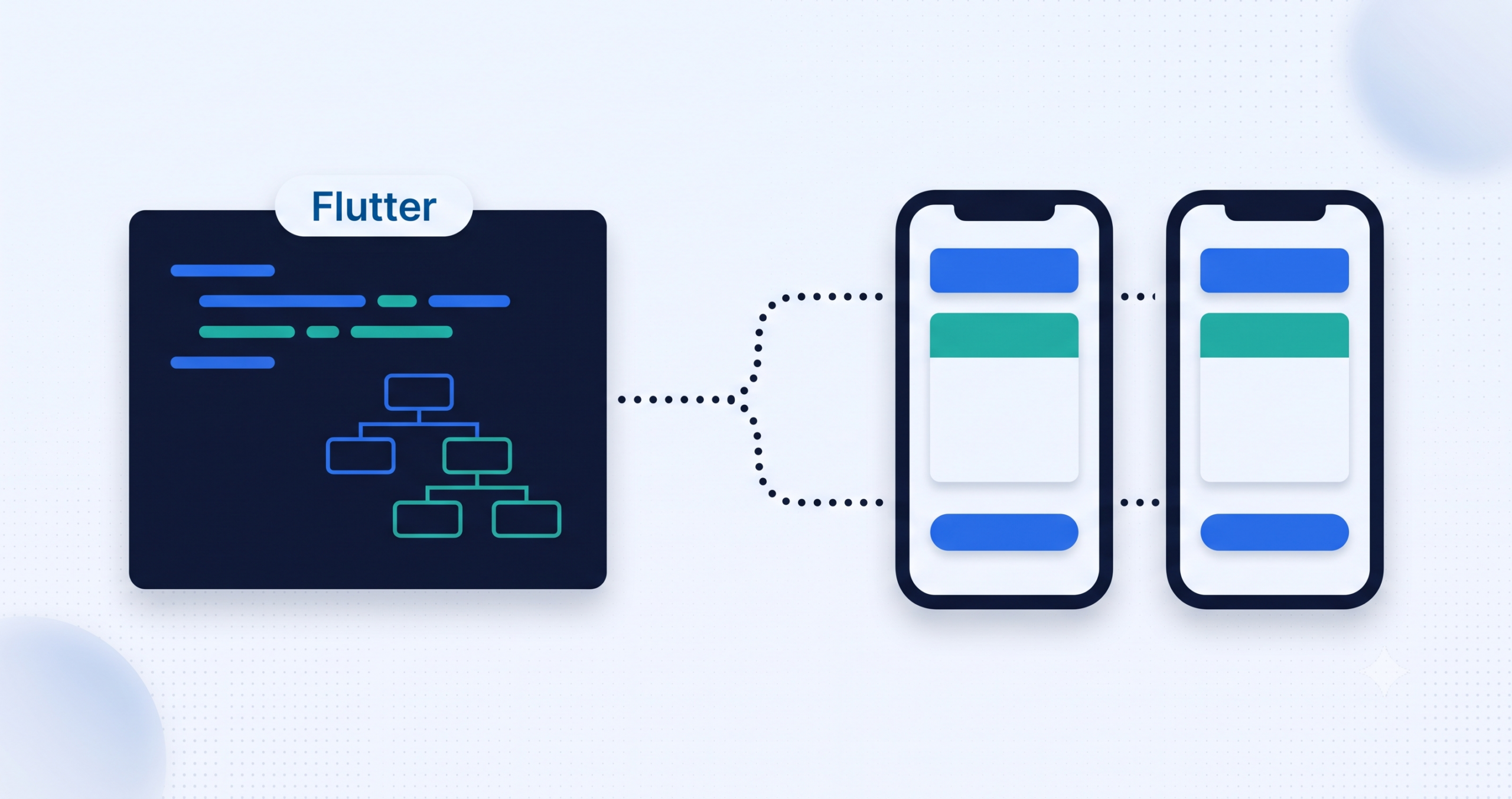
Flutter is an open-source toolkit created by Google for building apps for iOS, Android, web, and desktop from a single codebase, using a programming language called Dart.
Is Flutter free to use?
Yes. Flutter is free and open source, maintained by Google with contributions from a large developer community.
What’s the difference between Flutter and React Native?
Both let developers write one codebase for multiple platforms. Flutter renders its own UI using its own engine, giving consistent visuals across platforms, while React Native uses the platform’s native UI components, which can look more platform-specific by default.
Can Flutter build both iOS and Android apps from one codebase?
Yes, that is the core idea behind it. The same codebase compiles into native apps for both platforms, rather than requiring two separate development efforts.
What Is Flutter?
Flutter is an open-source UI toolkit built by Google for creating applications that run on iOS, Android, web, and desktop from one shared codebase. It uses Dart, a programming language also developed by Google, and compiles that code into native machine code rather than running it inside a browser-like wrapper.
Before frameworks like Flutter existed, building a mobile app typically meant writing it twice: once in Swift or Objective-C for iOS, and again in Kotlin or Java for Android. Flutter’s main appeal is collapsing that into a single codebase that runs natively on both.
How Flutter Works
- Single codebase, native compilation. Flutter code compiles directly to native ARM machine code, rather than being interpreted through a webview at runtime, which is part of why it performs closer to native apps than older hybrid frameworks.
- Everything is a widget. Buttons, layouts, text, and animations are all built from Flutter’s own widget system, which Flutter renders itself rather than relying on the operating system’s native UI components. This gives a consistent look across platforms, since the same widget renders identically on iOS and Android.
- Hot reload. Developers can see code changes reflected in a running app almost instantly, without restarting the whole app, which speeds up the development and testing cycle noticeably.
Native vs Traditional Cross-Platform vs Flutter
| Factor | Native (Swift / Kotlin) | Older Hybrid / Webview Frameworks | Flutter |
|---|---|---|---|
| Codebase | Separate for iOS and Android | Single codebase | Single codebase |
| Performance | Best, direct platform access | Often slower, runs through a webview | Close to native, compiles to native code |
| UI consistency | Matches each platform’s native look | Can feel inconsistent across platforms | Consistent, since Flutter renders its own UI |
| Development speed | Slower, two codebases to build and maintain | Faster than native | Faster, with hot reload for quick iteration |
| Best fit | Apps needing deep, platform-specific features | Very simple apps, tight budgets | Most business apps that need quality on both platforms quickly |
Why Businesses Choose Flutter
- Faster time to market. One codebase for iOS and Android (and optionally web) means less duplicated work.
- Lower long-term maintenance. Bug fixes and new features typically only need to be built once, not twice.
- Near-native performance. Since Flutter compiles to native code, apps generally feel smooth rather than sluggish.
- Backed by Google, with a large community. Flutter is actively maintained and used by a wide range of organizations, which means long-term support and a large pool of existing packages and documentation.
- Well suited to MVPs and apps that need to launch on multiple platforms without a large, separate team for each one.
When Flutter Might Not Be the Right Fit
- Apps needing very deep, platform-specific hardware integration that is not yet well supported by Flutter’s plugin ecosystem
- Extremely large, performance-critical enterprise apps where fine-grained native tuning outweighs the benefits of a shared codebase
- Teams already heavily invested in native iOS and Android expertise with no real need to unify the codebase
Common Misconceptions About Flutter
- “Flutter apps all look the same.” The opposite is often true. Because Flutter renders its own UI instead of relying on default platform components, it actually allows for more custom, distinctive design than many native default styles.
- “Flutter is only for prototypes.” Flutter is used in production by a range of organizations, not just for quick demos.
- “Cross-platform always means worse performance.” That was more true of older webview-based hybrid frameworks. Flutter compiles to native code, which changes that trade-off significantly.
Final Thoughts
Flutter is not the right choice for every project, but for most business apps that need to reach both iOS and Android users without maintaining two separate codebases, it is one of the more mature and widely adopted options available today. Understanding how it actually works, rather than just recognizing the name, makes it easier to have an informed conversation with whoever ends up building the app.
If you’re weighing Flutter against other approaches for a specific project, Cospixare Technologies works with Flutter as part of its custom software development services and is happy to talk through what fits your use case. Get in touch if that would help.
Frequently Asked Questions
Is Flutter free to use?
Yes, Flutter is open source and free to use, maintained by Google with contributions from the broader developer community.
What’s the difference between Flutter and React Native?
Both allow a single codebase to target multiple platforms. Flutter renders its own UI components through its own engine, giving consistent visuals across platforms. React Native uses the platform’s native UI components directly, which can look more platform-native by default but may render slightly differently between iOS and Android.
Do I need separate iOS and Android developers if I use Flutter?
Generally no. A single Flutter developer or team can build for both platforms from one codebase, which is one of the main reasons businesses choose it over native development.
Can Flutter apps be published on the App Store and Google Play?
Yes. Flutter apps compile into standard native app packages for each platform, so they go through the same App Store and Google Play submission process as apps built any other way.
What is Dart, and do I need to know it to use Flutter?
Dart is the programming language Flutter apps are written in, also developed by Google. Building a Flutter app requires writing Dart code, though it is generally considered approachable for developers already familiar with other modern programming languages.
Is Flutter good for large, complex apps or just small ones?
Both. Flutter is used for everything from simple MVPs to large production apps, though very large, performance-critical applications with heavy platform-specific requirements may need additional native code alongside Flutter.
Related Reading
Further Reading